The modern professional needs more than just a stylish leather briefcase. They require a functional, durable, and smartly designed bag that can securely hold not just their laptop, but also chargers, cables, and all the other accessories that come with today’s digital lifestyle. Whether you’re traveling, working at the office, or attending meetings, your briefcase should be more than just a fashion statement—it should also accommodate your tech needs.
Designing a leather briefcase for modern laptops and chargers means carefully balancing practicality with style. The right briefcase should offer dedicated compartments, durable materials, and a design that ensures comfort and convenience throughout the day. But how do you ensure the design is perfectly tailored for the technology that accompanies today’s professionals?
This article will guide you through designing a leather briefcase that accommodates laptops, chargers, and other modern essentials, with a focus on size, compartments, materials, and practical considerations that will help you create the best briefcase for your needs.
What Should a Modern Laptop Briefcase Include?
A modern laptop briefcase needs more than just a compartment for the laptop itself. It must cater to the multiple accessories that come with owning a laptop, such as chargers, cables, headphones, and even documents. Let’s break down the essential features that should be included in every laptop briefcase to ensure it serves its purpose.
What Size Laptops and Devices Should It Accommodate?
One of the first things to consider when designing a leather briefcase is the size of the laptop it needs to accommodate. Modern laptops come in different sizes, from 13 inches to 17 inches, so it’s important to measure and design the compartments accordingly.
- Laptop Size: A 13-inch laptop will need a more compact and slim design compared to a 17-inch laptop, which requires a larger compartment to prevent overcrowding.
- Other Devices: Don’t forget that a modern briefcase needs to fit other devices like tablets, smartphones, and portable chargers. A well-designed briefcase will allow easy access to these items without compromising space for the laptop.
| Laptop Size | Recommended Briefcase Size | Benefits |
|---|---|---|
| 13-14 inches | 15-inch briefcase | Compact, fits snugly, lightweight |
| 15-17 inches | 17-inch briefcase | Provides ample space, more protection |
A 15-inch briefcase works best for 13-14 inch laptops, while a 17-inch briefcase is better suited for larger laptops, ensuring adequate room for the laptop and additional accessories.
Which Accessory Compartments Are Essential?
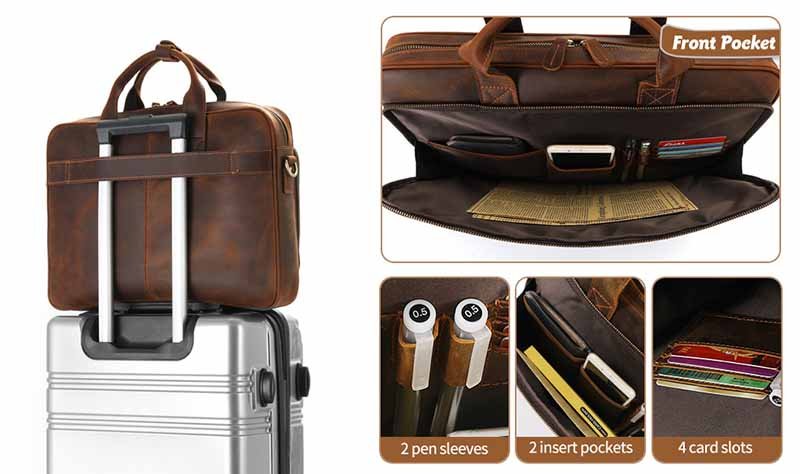
Beyond the laptop, the briefcase should have enough space for accessories such as chargers, cables, power banks, headphones, and even documents. Properly designed compartments will ensure that everything stays organized and protected.
- Dedicated Charger & Cable Storage: A separate compartment for chargers and cables keeps them from tangling and potentially damaging other devices in the briefcase. A zippered pocket or elastic loops can be used for organizing cables neatly.
- Documents: Many professionals still need to carry papers, contracts, and notebooks. Incorporating a dedicated section for documents ensures that your laptop doesn’t get scratched by papers and that your important papers are securely stored.
| Accessory | Ideal Compartment Design | Why This Design Works |
|---|---|---|
| Laptop | Padded, secure compartment | Keeps laptop safe, cushioned |
| Charger/Cables | Elastic loops, mesh pockets | Neatly organized, prevents damage |
| Documents | Document sleeve, file holder | Keeps papers safe, wrinkle-free |
A modern briefcase should include dedicated sections for laptops, chargers, documents, and accessories, ensuring they are kept organized, safe, and easily accessible.
How Do You Measure for Laptop & Charger Fit?
Accurately measuring the space for your laptop and accessories is one of the most critical steps in ensuring your leather briefcase meets your needs. Getting the dimensions correct not only ensures a secure fit but also guarantees that your laptop and charger remain protected and easily accessible.
How to Measure Laptop Length, Width, and Thickness?
When measuring for your laptop compartment, it’s important to account for every aspect of the laptop, not just its general dimensions. A briefcase that is too tight can cause discomfort or damage, while one that is too large can lead to the laptop moving around, increasing the risk of scratches and wear.
Step-by-step guide to accurate measurements:
- Length: Measure the horizontal length of the laptop from one side to the other.
- Width: Measure the height from the top to the bottom, ensuring that the briefcase offers a snug fit to prevent excessive movement.
- Thickness: Measure the depth of the laptop from front to back (i.e., how thick it is). Most laptops are typically between 0.5 to 1.5 inches thick.
Add an extra half inch to an inch on all sides for comfort and to ensure protection against bumps or impacts.
| Laptop Size | Length (inches) | Width (inches) | Thickness (inches) | Ideal Compartment Size (inches) |
|---|---|---|---|---|
| 13-14 inches | 12-14 | 8-9 | 0.5-1 | 14 x 10 x 1.5 |
| 15-17 inches | 14-16 | 9-11 | 1-1.5 | 17 x 12 x 1.75 |
Allow for a 0.5 to 1 inch tolerance on both sides to ensure the laptop fits snugly but comfortably inside the compartment.
How to Measure Charger and Cable Dimensions?
Next, you’ll need to measure the chargers and cables to ensure they have their own dedicated space in the briefcase. Cables should be neatly organized to avoid damaging your laptop, while chargers should fit securely without pressing against other items.
Steps to measure chargers and cables:
- Charger Size: Measure the length, width, and height of your charger. Be sure to account for bulkier power adapters or extra-large chargers.
- Cable Length: Measure each cable’s length and width, and take note of how long or thick the cables are. Cables for laptops and accessories (like USB, HDMI, or charging cables) vary in length, so plan accordingly.
| Accessory | Average Size (inches) | Ideal Compartment Size |
|---|---|---|
| Laptop Charger | 4-6 x 3-4 x 1-2 | 7-8 x 5 x 2 |
| USB/HDMI Cables | 6-10 | 6-7 x 4 x 2 |
The charger compartment should be slightly larger than the charger itself to provide extra space for coiling cables. Use elastic bands or mesh pouches to keep cables neatly organized and prevent them from tangling.
Which Compartments Work Best for Electronics?
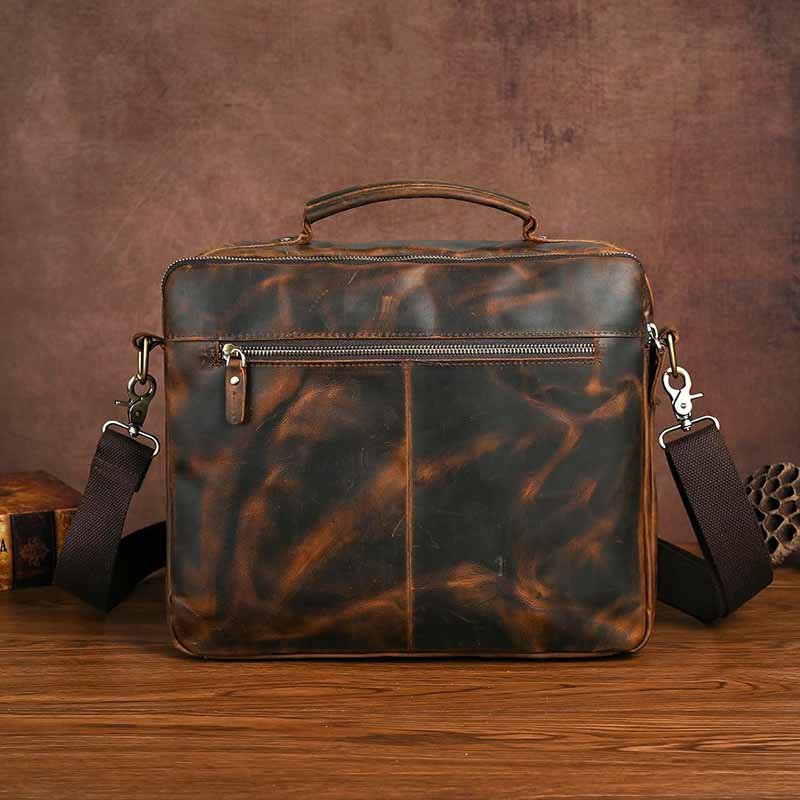
In a well-designed leather briefcase, each electronic item should have its own dedicated space to prevent damage. From laptops to chargers, and even power banks or tablets, the briefcase should keep everything secure while ensuring easy access. Let’s explore the best compartment designs for organizing your electronics.
Which Pocket Designs Protect Laptops Most Effectively?
The laptop compartment is one of the most important areas in a briefcase. It should not only hold the laptop securely but also protect it from bumps and scratches. A well-padded section with reinforced edges is essential for shock absorption.
Key features to consider:
- Padding Materials: Use memory foam, Neoprene, or high-density foam to provide shock absorption and flexibility. These materials help cushion the laptop against accidental drops or impacts.
- Soft Linings: The interior lining should be soft (e.g., velvet, microfiber) to prevent scratches on the laptop screen or body.
- Zipper or Flap Closure: Ensure that the laptop compartment has a secure zipper or flap closure to prevent the laptop from sliding out. Zippers should be durable, and flaps should be easy to close while keeping the laptop secure.
| Feature | Recommended Design | Benefits |
|---|---|---|
| Padding | Memory foam, Neoprene | Shock absorption, soft to touch |
| Zipper/Closure | Durable, high-quality zippers | Secures the laptop, prevents movement |
| Interior Lining | Soft velvet or microfiber | Prevents scratches, gentle on screens |
The laptop compartment should have thick padding and soft inner linings to ensure maximum protection from drops or bumps.
How Should Chargers and Power Banks Be Organized?
Chargers and power banks are essential for modern-day professionals, but they can create a mess if not organized properly. The compartment for chargers should keep cables neatly wrapped, while providing enough space for a power bank without causing damage.
- Cable Organization: Use elastic straps or mesh pockets to keep cables from tangling. Cable management solutions should prevent friction between cables and other items.
- Power Bank Storage: A dedicated pocket for the power bank ensures that it remains protected and easy to access. The pocket should have padding or a soft lining to avoid damage to the power bank.
Organize cables and chargers in separate compartments or pouches to prevent them from damaging the laptop or becoming tangled. A zipped mesh pocket or elastic loops works well for storing cables neatly.
What Materials & Construction Tips Improve Fit?
The choice of materials and construction techniques is critical when designing a leather briefcase that fits modern laptops and chargers. The materials you select will affect not only the overall durability of the briefcase but also how well it fits the devices inside. Using the right combination of leather, padding, and reinforcements can dramatically improve the fit and functionality of the briefcase.
What Leather Types Are Ideal for Durability and Flexibility?
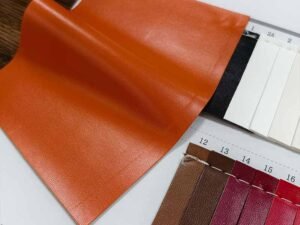
When choosing leather for a laptop briefcase, it’s essential to consider both durability and flexibility. The leather needs to protect your laptop and chargers while maintaining comfort and style.
- Full-Grain Leather: Known for its natural strength and long-lasting durability, full-grain leather is an excellent option for a briefcase. This type of leather is the top layer of the hide, left in its most natural form. It’s extremely resistant to wear and tear and develops a beautiful patina over time. However, full-grain leather can be stiff initially and may require some time to soften.
- Top-Grain Leather: Slightly more processed than full-grain, top-grain leather is still highly durable and offers a more uniform texture. It’s softer from the start, making it a better choice for those who want a comfortable leather briefcase from day one. This leather is also more affordable than full-grain, making it a popular choice for many brands.
- Nappa Leather: For a luxurious feel, Nappa leather is soft, smooth, and highly flexible, but it is not as durable as full-grain or top-grain leather. It’s ideal for creating comfortable briefcases for lighter use or professionals who prioritize softness and style over rugged durability.
| Leather Type | Durability | Flexibility | Ideal Use |
|---|---|---|---|
| Full-Grain Leather | Highly durable | Firm, softens over time | Luxury, long-lasting briefcases |
| Top-Grain Leather | Durable | Softer than full-grain | Mid-range, stylish, reliable |
| Nappa Leather | Flexible, soft | Very soft, supple | Comfort-focused, fashion-forward designs |
For a long-lasting briefcase with premium durability, full-grain leather is your best option. If comfort is a priority, Nappa leather offers excellent softness, though it is less rugged.
How to Reinforce Edges and Compartments for a Better Fit?
The reinforcement of edges and compartments is crucial for both fit and longevity. Leather tends to stretch and wear with time, so ensuring that the briefcase’s edges and the laptop compartments are reinforced will help maintain a tight fit and prevent sagging.
- Edge Reinforcements: For sharp corners and edges, consider using double stitching or applying reinforced leather strips. This adds durability and ensures that the leather doesn’t lose its shape over time. Leather binding can also be used along edges to prevent fraying.
- Compartment Reinforcement: Use interior dividers made from thicker leather or synthetic materials to create compartments that hold the laptop and accessories securely in place. If the laptop compartment is not reinforced enough, the items inside may shift and create damage to both the laptop and the briefcase itself.
| Reinforcement Type | Key Benefits | Materials to Use |
|---|---|---|
| Double Stitching | Strengthens edges and seams | Strong nylon or leather thread |
| Leather Binding | Prevents fraying | Full-grain or top-grain leather |
| Interior Dividers | Keeps items secure | Foam, thick leather, synthetic |
Use double stitching for the edges and reinforced leather binding to enhance the durability of corners. Ensure interior dividers are made from stronger materials to maintain a snug fit for your laptop and accessories.
Are Padding Layers Necessary, and What Materials to Use?
Incorporating padding in the laptop compartment and other sections of the briefcase is essential for ensuring the laptop is protected against impacts and scratches.
- Memory Foam: Memory foam is an excellent padding material that contours to the laptop’s shape, providing a secure, custom fit. It absorbs shock and minimizes the risk of damage from drops or bumps.
- Neoprene: Neoprene is another popular material for laptop protection. It’s highly flexible, soft, and water-resistant, making it a great option for briefcases that are designed for lightweight travel or daily use.
- Polyester Foam: Polyester foam is a budget-friendly option that offers good shock absorption. It’s often used in combination with leather to add protection while keeping the briefcase lightweight.
| Padding Material | Key Benefits | Ideal Use |
|---|---|---|
| Memory Foam | Shock absorption, custom fit | High-end briefcases, luxury designs |
| Neoprene | Soft, flexible, water-resistant | Light travel, daily commuting |
| Polyester Foam | Affordable, shock absorption | Budget-friendly, mid-range designs |
For the best protection, use memory foam for the laptop compartment, especially if you’re designing a high-end product. Neoprene is ideal for lightweight use, while polyester foam is great for a cost-effective solution.
How to Balance Style With Functionality?
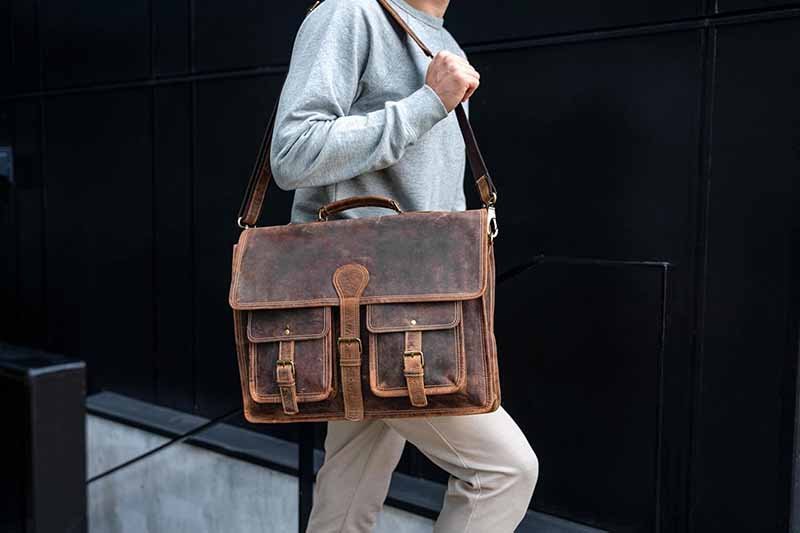
When designing a leather briefcase, achieving the perfect balance between style and functionality is essential. Today’s professionals not only want their briefcase to be practical and durable but also to make a statement. The briefcase should reflect the wearer’s personal style while meeting the demands of daily work and travel.
A well-designed leather briefcase should strike a balance between modern design trends and practical use. Key considerations include color choices, hardware, and the overall aesthetic that aligns with both the professional image and usability.
Do Modern Design Trends Affect Briefcase Usability?
While modern design trends influence the appearance of leather briefcases, these trends should also take into account usability. Sleek, minimalist designs are popular, but they shouldn’t compromise on practicality. For instance, ultra-slim designs might be fashionable but could lack the necessary compartments for all the accessories modern professionals carry.
- Minimalism vs. Functionality: The minimalist trend encourages clean lines and compact designs, but a lack of compartments can leave little room for essential accessories like chargers or pens. A good design should incorporate hidden compartments that maintain a sleek look while still providing adequate storage.
- Modern Materials: Leather used in modern designs is often treated with coatings for water resistance, which not only enhances the aesthetics but also increases the briefcase’s durability.
| Design Trend | Key Features | Pros | Cons |
|---|---|---|---|
| Minimalist Design | Clean lines, slim profiles | Stylish, sleek, easy to carry | Limited storage space, less functionality |
| Traditional Design | Multiple compartments | Practical, organized, spacious | Can look bulkier, less fashionable |
Aim for a design that is visually appealing and practical. Include slim yet functional compartments that allow for the best of both worlds: style and usability.
How to Choose Colors, Hardware, and Aesthetics?
The color and hardware of a leather briefcase play a major role in its professional appeal. While black, brown, and tan remain the classic color choices, many modern designs now feature bolder shades like navy, charcoal, or burgundy. Choosing the right color depends on your target market’s preferences, but the color must also match the hardware (e.g., zippers, buckles, clasps).
- Color Choices: Darker colors are timeless and work for a variety of professional settings, while lighter colors may appeal more to younger professionals or creative industries. Consider dark brown or black for a formal look, or navy and gray for a slightly more contemporary design.
- Hardware: Brass and gold hardware lend a vintage or classic feel, while silver and chrome fittings give a sleek, modern finish. Choose hardware that complements both the color and the overall design theme of the briefcase.
| Color Option | Suitable for | Hardware Choice | Aesthetic Impact |
|---|---|---|---|
| Black | Formal, corporate settings | Silver or gold fittings | Professional, authoritative |
| Brown/Tan | Traditional, versatile | Brass or antique hardware | Timeless, refined |
| Navy/Charcoal | Contemporary, creative | Chrome or nickel fittings | Modern, trendy, stylish |
Choose colors that reflect the target audience’s style. Pair classic colors with simple, sleek hardware for a timeless yet modern look. For a more bold statement, consider using creative hues with complementary hardware.
How to Test and Refine Your Design Before Production?
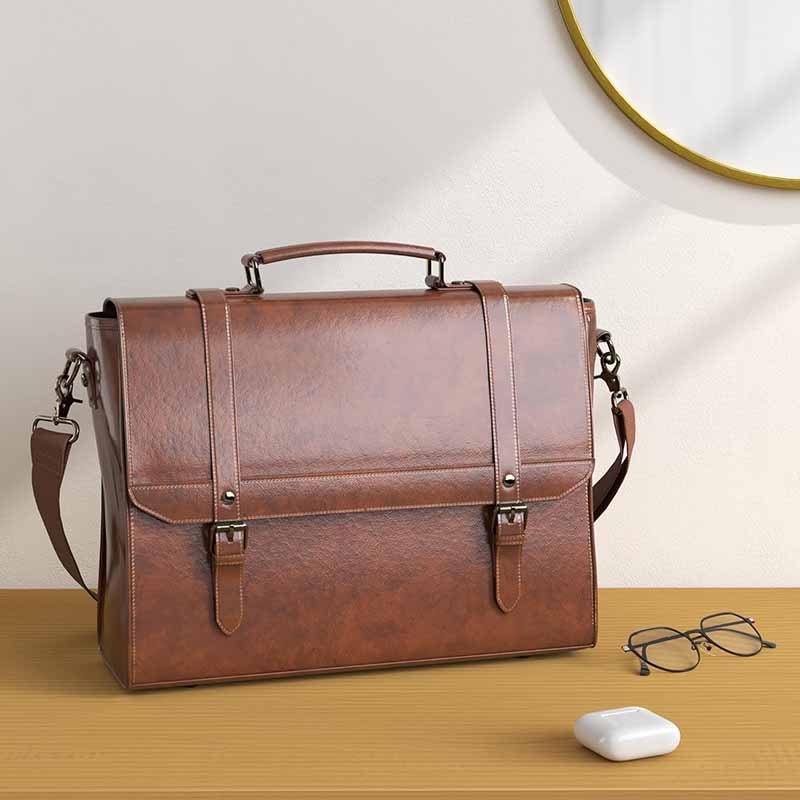
Once the design is complete, it’s important to validate the functionality and comfort before production. A prototype should be created to test the fit of laptops, chargers, and other accessories. It’s also a great opportunity to gather feedback and ensure that the final design works well in real-world conditions.
To ensure the briefcase design meets your standards, create a prototype, conduct user testing, and collect feedback. This iterative process will help refine the design and ensure it’s both functional and comfortable for everyday use.
What Prototype Tests Should Be Run for Fit and Comfort?
Testing the fit and comfort of the briefcase before mass production is critical. Here are some tests to consider during the prototype phase:
- Laptop Fit Test: Place laptops of various sizes in the laptop compartment to ensure the fit is snug but not too tight. Make sure there’s no pressure on the edges, which can cause scratching or damage.
- Weight Test: Test the briefcase’s balance and comfort by filling it with laptops, chargers, cables, and documents. Check if the weight distribution feels even, and the briefcase remains comfortable to carry.
- Accessibility Test: Open and close compartments to ensure easy access to chargers, cables, and other devices. Test whether all sections are easily accessible while maintaining a secure fit for each item.
| Test Type | What to Check | Outcome |
|---|---|---|
| Laptop Fit Test | Ensure snug fit for different sizes | Laptop stays secure, no pressure |
| Weight Test | Balance when carrying heavy items | Even weight distribution, no discomfort |
| Accessibility Test | Easy access to compartments | All items can be retrieved quickly |
Ensure that the laptop compartment is snug enough to prevent shifting but not too tight. Regularly test the weight balance and accessibility to make sure everything remains easy to use and comfortable during daily tasks.
How to Gather User Feedback and Iterate Designs?
The feedback process is vital for improving the design before finalizing production. User testing can be done with a small group of target customers to gather real-world insights on comfort, fit, and functionality.
- Focus Groups: Get a small group of professionals to test the briefcase for a week and provide feedback on what works well and what needs improvement.
- Surveys: Distribute surveys to get a wider range of feedback on comfort, storage capacity, and durability.
- Iterate: Use the feedback to make necessary adjustments to the design. Whether it’s increasing compartment sizes, adjusting the shoulder straps for comfort, or changing the interior organization, make sure the final product meets the real-world needs of users.
Conclusion: Designing the Perfect Leather Briefcase for Modern Laptops & Chargers
Designing a leather briefcase that fits modern laptops and chargers is a careful balancing act of comfort, functionality, and style. By measuring carefully, incorporating well-designed compartments, and selecting high-quality leathers, you can create a product that caters to the needs of today’s professionals.
For those looking to customize their leather briefcase or partner with a trusted manufacturer, SzoneierLeather offers expert solutions. With over 18 years of experience in leather production, we provide custom leather goods, from premium briefcases to tailored designs that meet the highest standards of durability, comfort, and style.
Contact us today to start designing your premium leather briefcase. Whether you need a small batch or custom specifications, Szoneier is here to bring your vision to life.