 Skip to content
How to Put a Logo on a Leather Wallet:Techniques and Best Practices
Branding a leather wallet elevates it from a mere accessory to a statement piece—one that speaks of your craftsmanship, your aesthetic, and your message every time it’s opened. Whether you’re a luxury label looking to hot-stamp initials in gold foil or a DIY enthusiast aiming to transfer your own artwork at home, choosing the right method affects durability, cost, and visual impact.
Putting a logo on a leather wallet involves selecting from embossing (raised imprint), debossing (pressed-in), foil stamping (metallic finish), laser engraving (precise burn-away), or screen printing (ink application). Each technique requires surface prep—cleaning and marking—followed by specialized tools: heated dies for stamping, a laser engraver for precision, or a home-iron transfer for ink printing. Proper pressure, temperature, and finishing seals ensure a crisp, lasting logo.
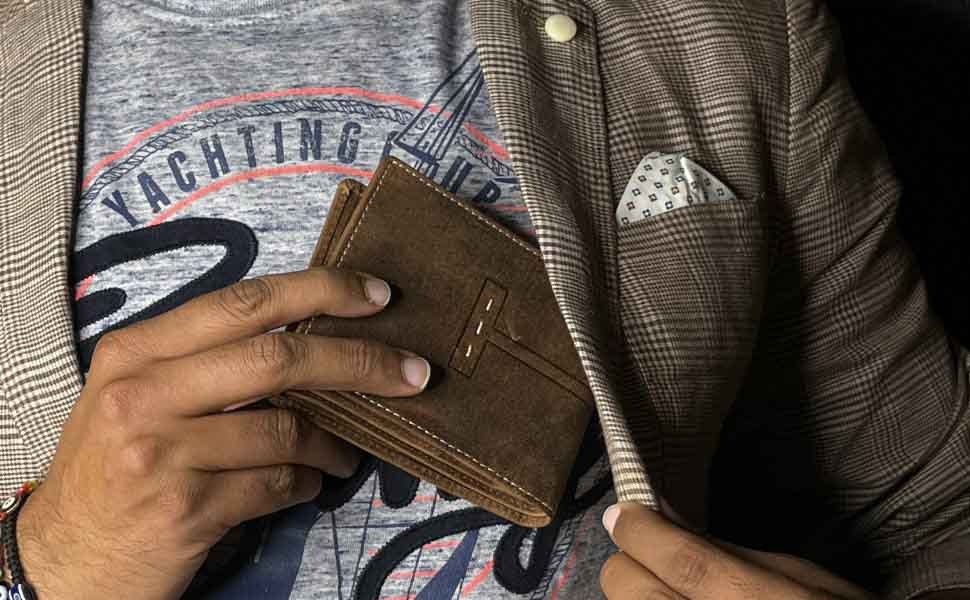
Imagine a customer sliding your wallet from her pocket and pausing to admire the sleek, debossed monogram at its corner—proof that every production decision, from die-making to surface sealant, matters. Read on as we unpack each branding technique, walk through the exact tools and settings you’ll need, and show you how to choose the perfect method for your design, volume needs, and budget.
What Logo-Branding Techniques Are Available for Leather Wallets?
The five primary methods to apply logos are embossing (raised design using male/female dies), debossing (pressed-in logo), foil stamping (foil laid under heat and pressure), laser engraving (material ablation via focused beam), and screen printing (ink deposited through a stencil). Each technique balances cost, setup time, and volume: embossing/debossing suits medium to large runs, foil adds premium flair, laser excels in detail and small batches, while screen printing is ideal for vibrant colors at low MOQ.
Leather’s natural fiber structure and finish dictate which branding techniques yield the best results. Below, we explore each method’s mechanics, pros, cons, and ideal use cases:
- Embossing & Debossing
- Mechanics: Custom metal dies (male and female halves) clamp the leather at high pressure (5–10 tons) and moderate heat (80–120 °C). Embossing pushes the design up; debossing presses it down into the hide.
- Die Creation: CAD files guide CNC routing of brass or magnesium blocks. Die costs range $200–$500 per design.
- Suitability: Excellent for logos, monograms, and patterns on vegetable-tanned or chrome-tanned leathers. Works best on full-grain and top-grain hides with smooth finishes.
- Volume & Cost: Economical at volumes above 300 units. Setup cost is amortized over runs; per-wallet cost drops to $0.50–$1.50 in large batches.
- Foil Stamping
- Mechanics: A thin metallic or pigmented foil is sandwiched between the heated die and leather. Heat (120–160 °C) and pressure transfer the foil only where the die contacts the surface.
- Foil Types: Metallic (gold, silver), holographic, matte, or pigmented colors. Foil roll costs vary $30–$100 per 20 m roll.
- Aesthetic Impact: Instantly signals luxury—common on high-end wallets and gift collections.
- Technical Considerations: Requires precise temperature and dwell time (1–3 s) to avoid scorching or incomplete transfer. Suitable for runs of 200+ units.
- Laser Engraving
- Mechanics: CO₂ or fiber lasers ablate the top layer of leather, creating a contrast between engraved and untouched areas. Power (10–40 W) and speed settings control depth and edge sharpness.
- Flexibility: Ideal for intricate artwork, photo-realistic images, or variable data (names, serial numbers).
- Batch Size: No tooling cost—perfect for prototyping and small batches (1–100 units).
- Material Impact: Works best on light-colored, vegetable-tanned leathers; darker hides yield subtler contrast.
- Screen Printing
- Mechanics: Ink is forced through a mesh stencil onto the leather surface, then cured (UV or oven) to bind.
- Color Range: Unlimited hues, gradients, and even multi-color designs.
- Setup: Creating screens costs $30–$80 per color. Ideal for runs of 50–300 units.
- Limitations: Prints sit on the surface—prone to cracking if not properly cured or on excessively flexible leathers.
- Image Transfer at Home
- Methods: Rubber-based transfer paper or sublimation inks with domestic heat presses or household irons.
- Feasibility: Works for hobbyists and micro-runs (<20 units).
- Durability: Less permanent than professional methods—logos may fade or peel with wear.
Selecting the right technique involves weighing design complexity, leather type, production scale, and budget. Embossing and foil stamping deliver timeless elegance at scale, lasers offer customization at low volume, and screen printing brings color flexibility.
How Do You Prepare the Leather Surface for Logo Application?
Surface prep entails cleaning with isopropyl alcohol to remove oils, conditioning with a neutral pH leather balm for even heat transfer, and marking precise logo placement using a low-tack template or transfer paper. Ensure the leather is flat—clamp or hold in place to prevent shifting—and pre-heat devices to eliminate temperature fluctuations. Proper prep guarantees crisp edges, uniform depth, and adhesion, preventing uneven impressions or foil residue.
A professional-grade logo depends as much on preparation as on tooling. Here’s how to ready your wallet surface for flawless results:
- Cleaning & Degreasing
- Materials: Use 70% isopropyl alcohol on a lint-free cloth. Gently rub the imprint area to remove surface oils, polishing residues, and dust.
- Why It Matters: Oils repel foil adhesives and can soften leather unevenly under heat, leading to blurry or shallow impressions.
- Conditioning & Moisture Equilibrium
- Leather Balms: Apply a light coat of neutral-pH conditioner and allow 15–30 minutes for absorption. This replenishes moisture drawn out by heat and pressure.
- Climate Control: Aim for 45–60% relative humidity; overly dry leather can crack under stamping, while overly moist leather will deform.
- Marking & Alignment
- Templates & Jigs: Create paper or acrylic guides showing exact die placement. Use removable low-tack tape to affix the template without damaging the hide.
- Centering: For wallets with multiple panels, mark center lines and edges to ensure the logo sits perfectly even, visible when the wallet is folded or open.
- Flat Clamping
- Press Platen Prep: Place a Teflon® or silicone sheet on the lower platen to protect both leather and press bed.
- Tension Avoidance: Do not over-stretch the wallet panels; slight tension can cause logo distortion. Use weight or framing clamps if working outside a press.
- Pre-Heating & Test Imprints
- Temperature Stabilization: Heat the die or laser head to target temperature for 2–3 minutes before first imprint.
- Test Swatch: Always run a trial on a leather off-cut. Adjust parameters—pressure, dwell time, laser power—to achieve optimal contrast without scorching.
Which Tools and Equipment Are Needed for Each Method?
Key equipment includes a hydraulic or manual hot-stamping press (5–10 tons, adjustable temperature) with custom dies for embossing/debossing and foil stamping; a CO₂/fiber laser engraver (30–60 W) with rotary or flatbed attachments; a screen-print station with mesh frames, squeegees, and UV/thermal cure units; and for at-home methods, a heat press or iron, transfer paper, and leather-compatible inks. Proper maintenance—calibrating pressure gauges, cleaning lenses, and replacing foil regularly—is essential for quality and uptime.
Hot-Stamp Presses (Embossing, Debossing, Foil Stamping)
- Types:
- Hydraulic Press: Offers consistent tonnage up to 10 tons, ideal for thick leathers.
- Manual Press: Pneumatic or lever-actuated, suitable for light to medium runs and thinner hides.
- Specifications:
- Temperature Range: 50–200 °C, digital controllers with ±1 °C accuracy.
- Platen Size: 6″×6″ to 12″×12″ for multi-die setups.
- Accessories:
- Teflon® or Silicone Pads: Protect die faces and ensure even heat distribution.
- Pressure Gauges: Monitor force to within 0.1 ton increments.
Laser Engraving Systems
- Laser Types:
- CO₂ Lasers (30–60 W): Best for natural fibers; deeper, warmer burn.
- Fiber Lasers: Higher precision but can scorch chrome-tanned leathers unpredictably.
- Features:
- Resolution: 600–1,200 DPI for fine detail.
- Cooling & Ventilation: Fume extractors and air compressors prevent residue buildup on optics.
- Software:
- Vector/DXF Support: For importing logo files, adjusting power/speed curves per design.
Screen-Printing Equipment
- Frames & Mesh Counts: 110–200 mesh for leather inks—higher mesh for fine detail, lower for heavy ink laydown.
- Curing Units:
- UV Lights: Instant cure for pigmented inks.
- Conveyor Ovens: Maintain 120–140 °C for 30–60 seconds to fully cross-link inks.
- Squeegees & Emulsion: Leather-specific UV-stable emulsions and polyurethane squeegees resist abrasion.
At-Home Heat-Transfer Tools
- Heat Press: 15″×15″ platens, digital temperature/pressure controls, ideal for small runs.
- Iron & Parchment Paper: Household iron set to “cotton” with consistent swipes.
- Transfer Paper & Inks: Rubberized, water-based inks formulated to bond with leather’s surface.
Regardless of method, ongoing maintenance—cleaning die faces, replacing worn mesh, calibrating laser mirrors—ensures consistent quality, extends equipment life, and minimizes downtime.
How Is the Embossing, Debossing, or Foil-Stamping Process Executed?
The workflow begins with die creation from CAD patterns, followed by surface prep. Position the wallet between the male and female dies on the press platen. Set the temperature (80–120 °C for emboss/deboss; 120–160 °C for foil), pressure (5–10 tons), and dwell time (1–3 seconds). For foil, insert the metallic film between die and leather. After stamping, cool under light clamp pressure for 10–20 seconds to stabilize the impression before removing the foil backing.
- Die Fabrication
- Design Finalization: Vector artwork converted to high-contrast black-and-white shapes.
- Material Selection: Brass for longevity, magnesium for faster heat-up.
- CNC Machining: Achieves ±0.02 mm accuracy in raised/recessed elements.
- Press Setup
- Calibrate Temperature: Use a surface-mounted thermocouple to verify platen and die surface temperatures match controller readout.
- Adjust Pressure: Start at midpoint (7 tons) and test on scrap, increasing or reducing to avoid leather blow-out or faint imprints.
- Foil-Stamp Specifics
- Foil Alignment: Use a registration jig to hold foil in place, preventing drift during stamping.
- Peeling Technique: Remove backing foil at a 45° angle immediately post-cool to reveal crisp metallic finish; waiting too long can cause foil to stick.
- Quality Checks
- Depth & Uniformity: Measure indentation depth (0.3–0.6 mm) with a depth gauge; scan for any missed areas.
- Adhesion Testing: Rub the foil gently with a microfiber cloth—properly stamped foil remains intact under light abrasion.
- Troubleshooting Common Issues
- Ghosting: Caused by excessive dwell time—reduce by 0.5 s increments.
- Leopard Spots: Uneven embossing from die-polishing needs reworking on high spots.
- Foam Under the Die: A thin silicone pad under the die can compensate for minor surface unevenness on the wallet.
What Finishing and Quality Control Steps Guarantee a Durable Logo?
After stamping or engraving, clean the surface of debris, apply a clear leather sealant or balm to protect the logo edges, and conduct adhesion tests (rubbing with a soft cloth under light pressure). Inspect every wallet for uniform depth, edge sharpness, and no scorching. For foil, verify no peeling in a 100-rub test. Maintain an AQL 2.5% sampling plan for major defects to ensure consistent quality across batches.
- Surface Cleaning & Sealants
- Debris Removal: Brush away char residue from laser or loose foil particles with a soft nylon brush.
- Sealant Application: Use a thin coat of neutral pH acrylic leather sealer; it locks in dye and protects stamp edges from abrasion.
- Visual & Tactile Inspection
- Depth Consistency: Check that all logos across a batch have the same depth and clarity—spot variations can indicate pressure drift or die wear.
- Edge Quality: Ensure foil edges are sharp, with no feathering or ragged lines.
- Adhesion & Wear Testing
- Rub Test: Rub the logo area 100 times with a microfiber cloth—foil should not lift, and embossed impressions should retain sharp edges.
- Flex Test: Fold and bend wallet in the stamped area; debossed logos should flex without cracking.
- Sampling & Metrics
- AQL Sampling: For a run of 1,000 wallets, inspect 32 units (AQL 2.5%) for major defects.
- Defect Tracking: Log issues—ghosting, incomplete stamps, scarring—to drive corrective actions and die maintenance schedules.
These rigorous finishing steps ensure each wallet leaving your factory looks pristine and retains its branded logo throughout years of daily handling.
How Do You Choose the Right Logo Technique for Your Brand and Wallet Design?
Match technique to your priorities: use embossing/debossing for a timeless, tactile logo at scale; foil stamping for luxury shine; laser engraving for intricate or personalized designs in small batches; and screen printing for multi-color logos. Factor in leather type (full-grain vs. coated), batch size, budget, and desired aesthetic. Conduct cost-benefit analysis: embossing amortizes over ≥300 units, while laser excels under 100 units with no tooling fees.
Volume vs. Setup Cost
- Emboss/Deboss & Foil: Best for medium to large runs (≥300 units) where die creation cost ($200–$500) is offset by low per-unit imprint cost ($0.50–$1.50).
- Laser Engraving: No tooling cost—ideal for limited editions, personalization, or rapid prototypes (<100 units).
Design Complexity & Detail
- Simple Logos: Large, block-letter monograms stamp cleanly with minimal risk.
- Fine Detail & Photorealism: Choose laser engraving (600–1,200 DPI) for micro-textures and halftones.
Leather Type & Finish
- Vegetable-Tanned, Light Hides: Accept both embossing and laser nicely.
- Oil-Tanned or Finished Leathers: Emboss may show cracking; foil stamping or laser (test on scraps first) can yield better results.
Aesthetic & Brand Positioning
- Luxury Brands: Gold or foil stamping conveys exclusivity.
- Artisanal Labels: Debossing in subtle matte makes a handcrafted statement.
- Tech-Forward Lines: Laser-etched serial numbers and QR codes signal innovation.
Budget & Turnaround Time
- Low Budget, Quick Turn: DIY heat-transfer methods at home—but accept lower durability.
- High-End, Fast Prototyping: Local laser houses can engrave overnight; premium presses require batch scheduling.
Putting a logo on a leather wallet is both an art and a science—requiring the right prep, tools, and finishing protocols to achieve a crisp, enduring brand mark. Whether you need thousands of foil-stamped monograms or a few dozen custom-engraved prototypes, Szoneier Leather provides turnkey solutions: from die design and tooling, to on-site pressing, laser engraving, and quality inspection, all under one roof.
Contact us today to discuss your logo-branding needs, request swatches and sample imprints, and receive a tailored quote for your next leather-wallet collection.
What Can I Do For You?
Here, developing your OEM/ODM private label leather goods collection is no longer a challenge,it’s an excellent opportunity to bring your creative vision to life.
Make A Sample First?
If you have your own tech packs, logo design artwork, or just an idea,please provide details about your project requirements, including preferred fabric, color, and customization options,we’re excited to assist you in bringing your leather goods designs to life through our sample production process.